B2B SaaS Warehouse Platform to Boost Inventory Accuracy and Real-Time Visibility with IoT
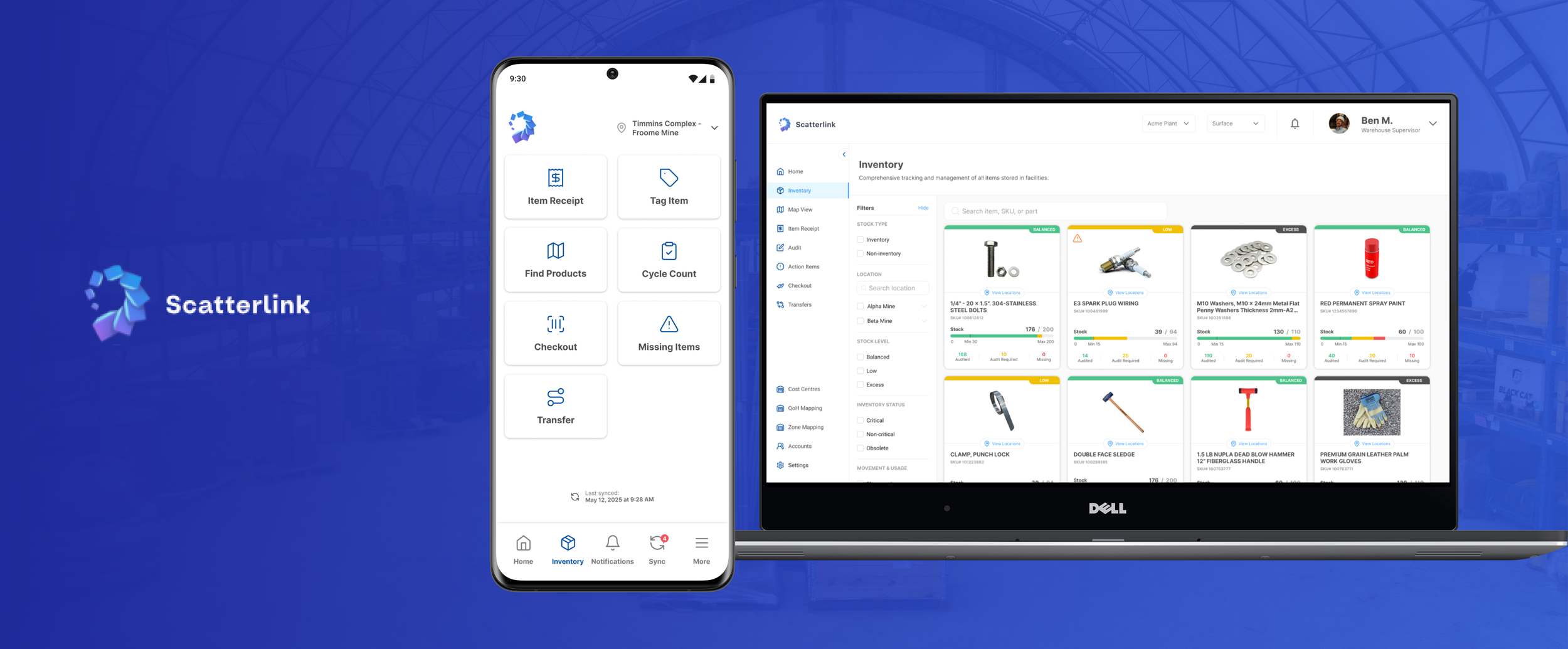
Web App Design
〰️
UX Research
〰️
Process Flows
〰️
Wireframes
〰️
Prototypes
〰️
High-fidelity Design
〰️
Mobile App Design
〰️
Usability Tests
〰️
Web App Design 〰️ UX Research 〰️ Process Flows 〰️ Wireframes 〰️ Prototypes 〰️ High-fidelity Design 〰️ Mobile App Design 〰️ Usability Tests 〰️
Turning Warehouse Chaos Into Real-Time Inventory Visibility
Inventory tracking relied heavily on manual processes.
Warehouses relying on pen-and-paper struggle to find items quickly and keep accurate inventory records, which causes delays, errors, and wasted time and money.
Warehouse Inventory Management Platform
A custom warehouse inventory app for a gold mining company that helps staff handle day-to-day inventory tasks faster and with fewer mistakes. It works alongside Dynamics 365, the ERP already used in the warehouse, so teams can stay in sync without changing their existing systems or habits.
Make warehouse inventory faster to find and easier to manage.
Create a user-friendly MVP for a digital system that helps warehouse staff find items faster, record inventory accurately, and see real-time information with no friction.
👤 My Role
UX Designer
👥 Team
Managing Director
Product Tech Lead
Software Developers
⏱️ Duration
Feb 2025 - Present
📱 Platforms
Mobile app
Web App
📋 Deliverables
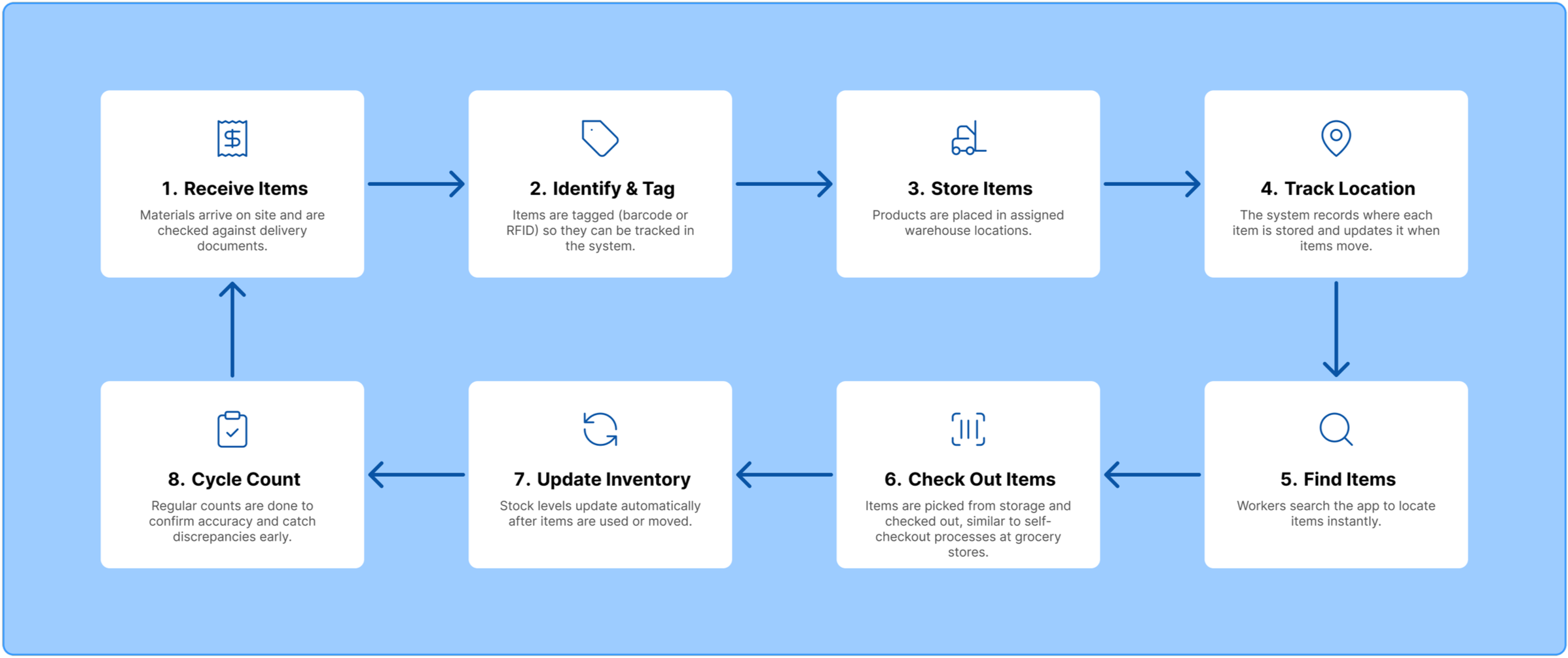
Shadowed staff and mapped workflows to identify pain points
Set priorities, platform split (web vs mobile), and success metrics
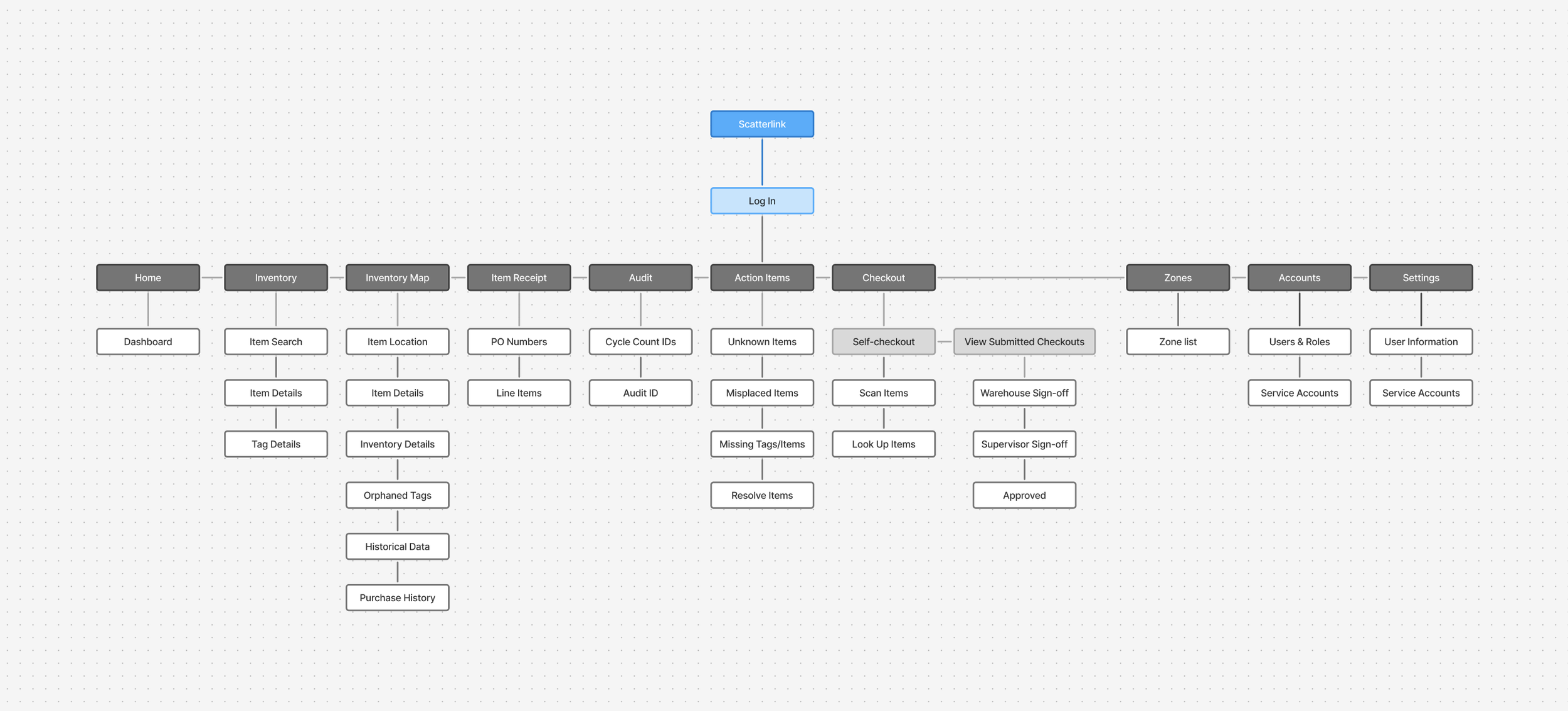
Designed task flows and wireframes with edge cases covered
Built hi-fi web/mobile prototypes
Tested with staff, iterated, and projected gains in accuracy/speed/visibility
Digitizing warehouse workflows without increasing complexity
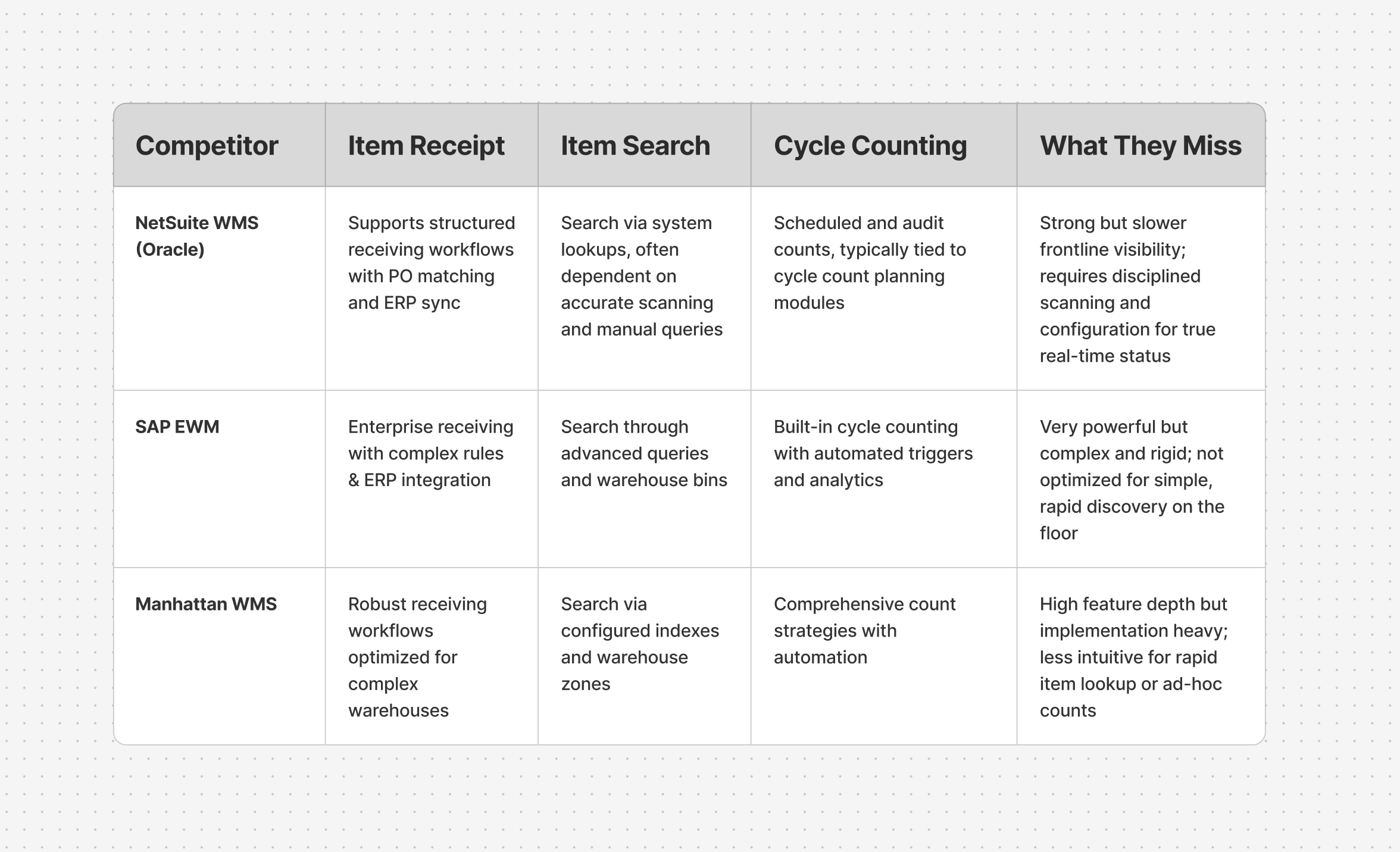
Competitor Analysis
I conducted a targeted competitor analysis comparing how leading WMS platforms handle key activities; item receipt, item search, and cycle counting.
This analysis revealed gaps in real-time visibility, rapid item discovery, and support for ad-hoc warehouse workflows, informing Scatterlink’s focus on fast item discovery, clearer inventory status, and flexible cycle counting.
Warehouse Exploration
During site visits, I walked through the warehouses to see how items were stored and labeled, and took many reference photos of shelves and aisles to inform later design decisions.
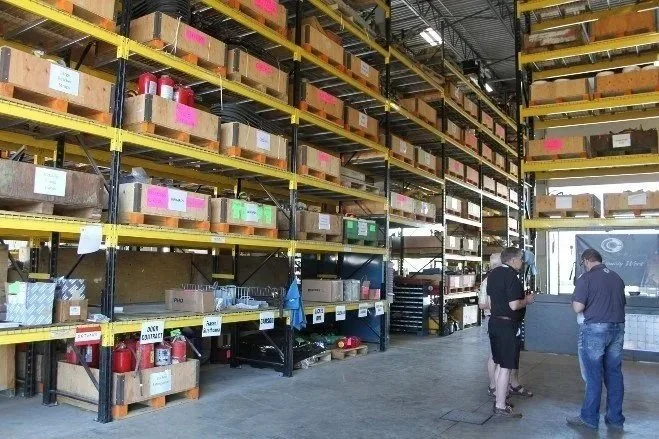
Image of one of the warehouses
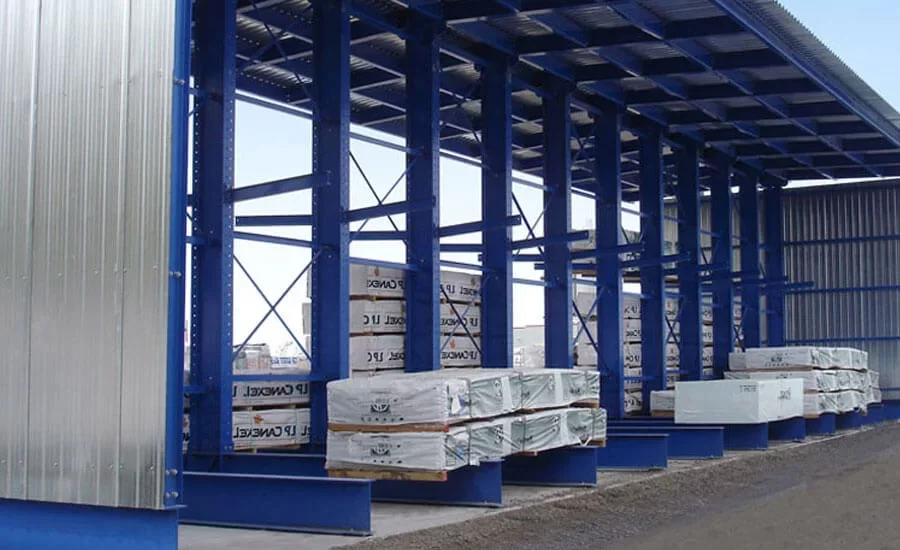
Lay down showing several large items placed without labels
Observations and Workflow Analysis
During the on-site visit to the Ontario warehouse, I shadowed workers as they received items, searched for products, and performed cycle counts. I documented where tasks broke down, where information was lost in handoffs, and where records were incomplete or duplicated.
I also mapped the existing paper-based workflows to understand the “before” state and see exactly how work was being done prior to any digital solution.

Warehouse workers receiving items

Field tour with warehouse staff
💡 Key Insights
People
Many workers take things from warehouses without signing them off, which lead to inventory inaccuracy.
Many are older and not tech-savvy, so they have little patience for learning new things
Processes
Searching for missing items is the most frequent frustration in the day due to disorganized item placements
Cycle counts take too long to complete
Receiving items is tedious and prone to many errors
Personas
Personas came from insights gained from user interviews during on-site research.
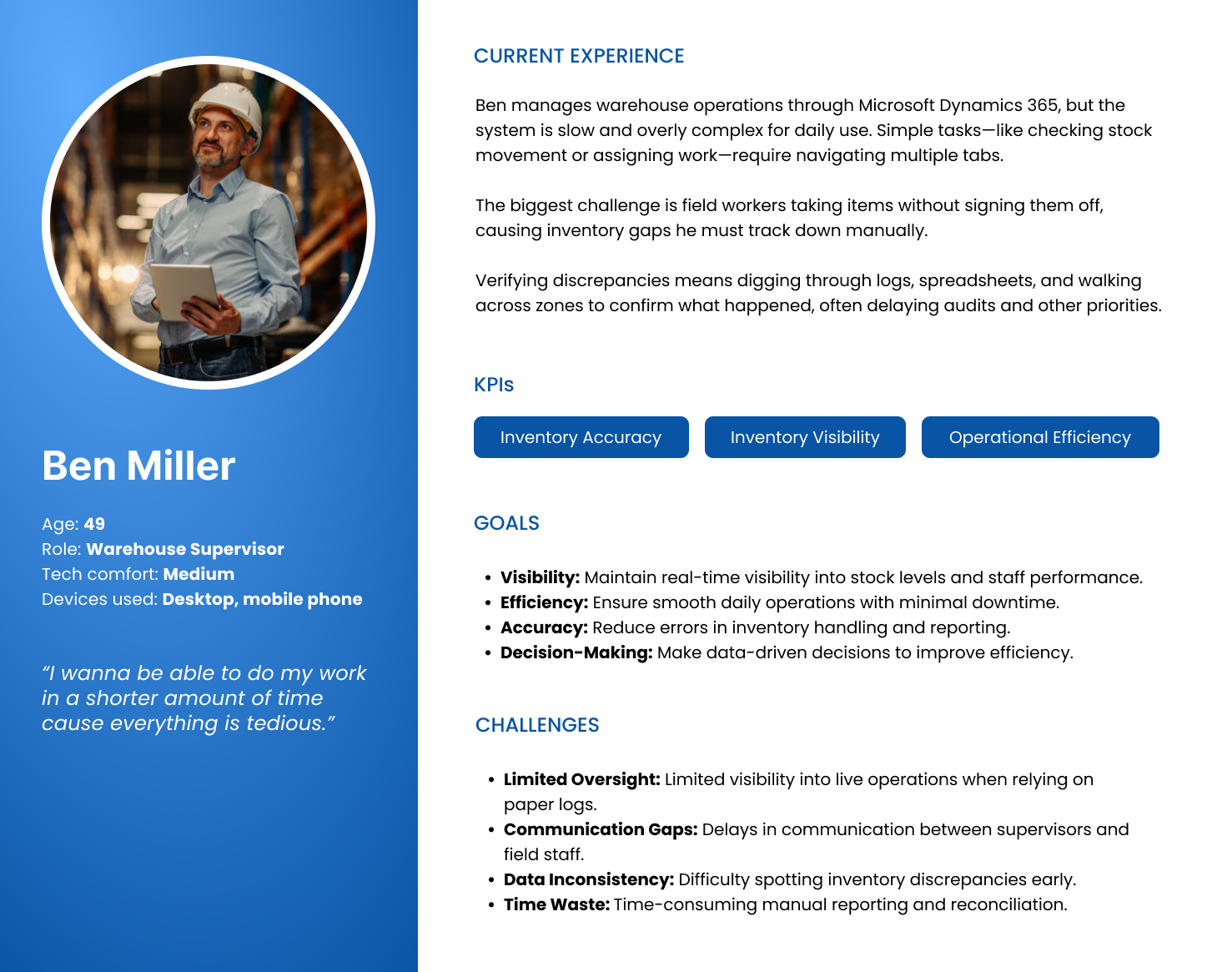
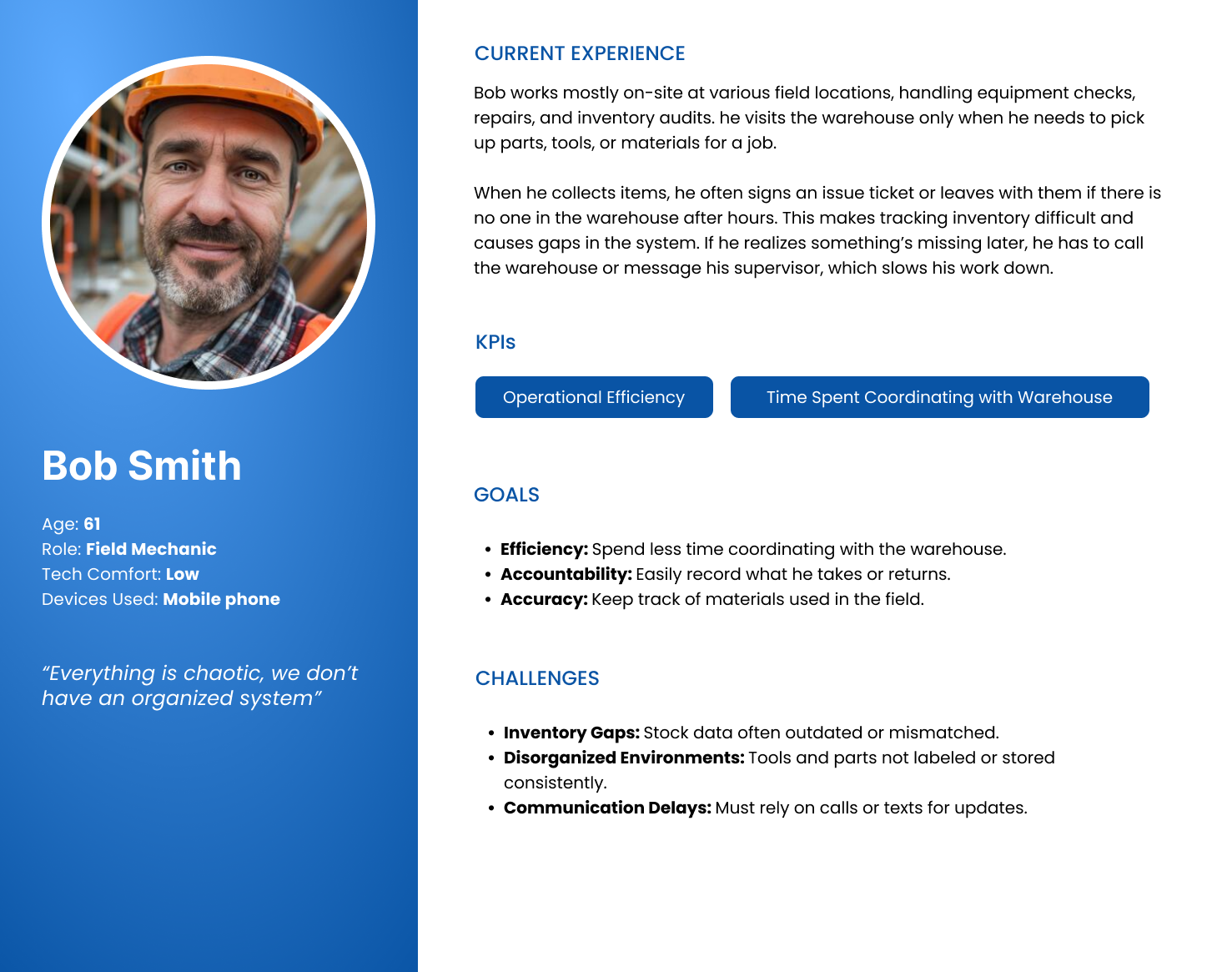
HOW MIGHT WE MAKE IT EASIER FOR WAREHOUSE STAFF TO LOCATE ITEMS AND COMPLETE TASKS WITHOUT ERRORS OR EXTRA STEPS?
Design Goals
1. Make Inventory Fast and Easy to Find
Enable staff to locate any item in seconds through RFID technology, clear navigation and search, while reducing walking, guesswork, and reliance on memory.
2. Reduce Errors and Complexity in Daily Tasks
Replace manual steps and paper-based workflows with guided digital processes that prevent data mistakes and shorten task time.
3. Support All Users Without Changing Existing Systems
Create intuitive interfaces that work alongside Dynamics 365 and feel approachable for non-technical staff, minimizing training and disruption.
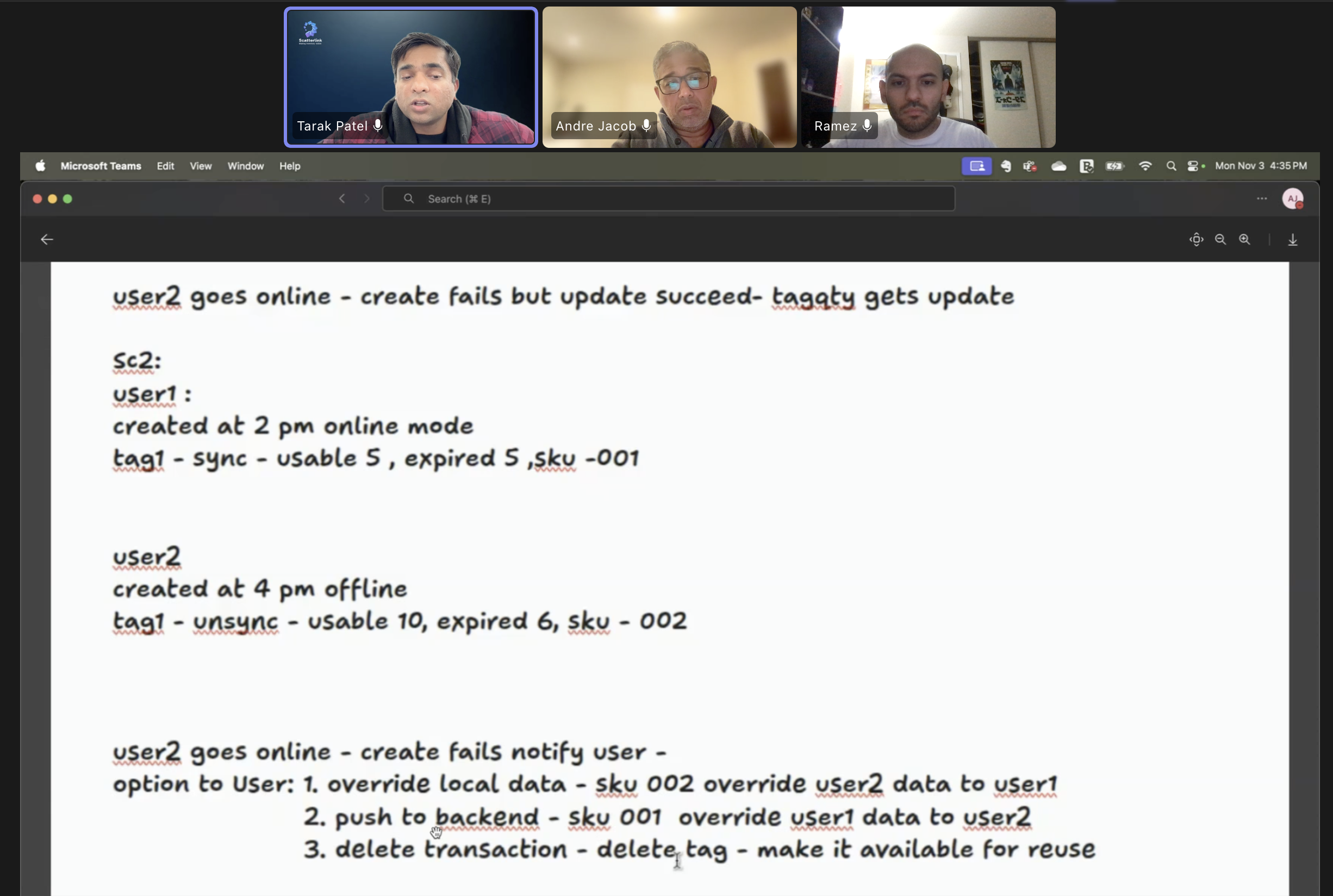
Meeting with team
Discussing Edge Cases
We regularly discussed edge cases to make sure the system handled real-world scenarios reliably, especially around syncing, offline use, and conflicting updates.
These conversations helped surface what could go wrong before it happened, allowing us to define clear system behaviors, user feedback, and fallback options. Addressing edge cases early reduced ambiguity, prevented data issues, and made the overall experience more predictable and trustworthy for users.
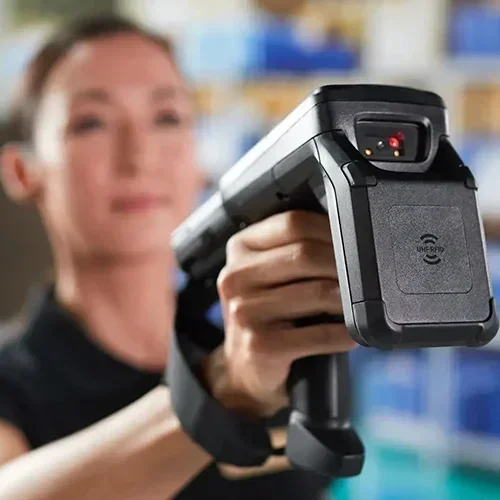
Real-Time Inventory Tracking With RFID
Scatterlink uses RFID technology to automatically track where items are located anywhere on site. Each item or group of items is tagged, and RFID readers capture movement on the app as items are received, moved, or stored, which will then sync into Dynamics 365.
This removes the need for manual location updates and lets workers instantly see where an item is in the app, reducing search time, misplaced inventory, and overall friction in daily operations.
The Design
Reducing Cognitive Load Through UI Design
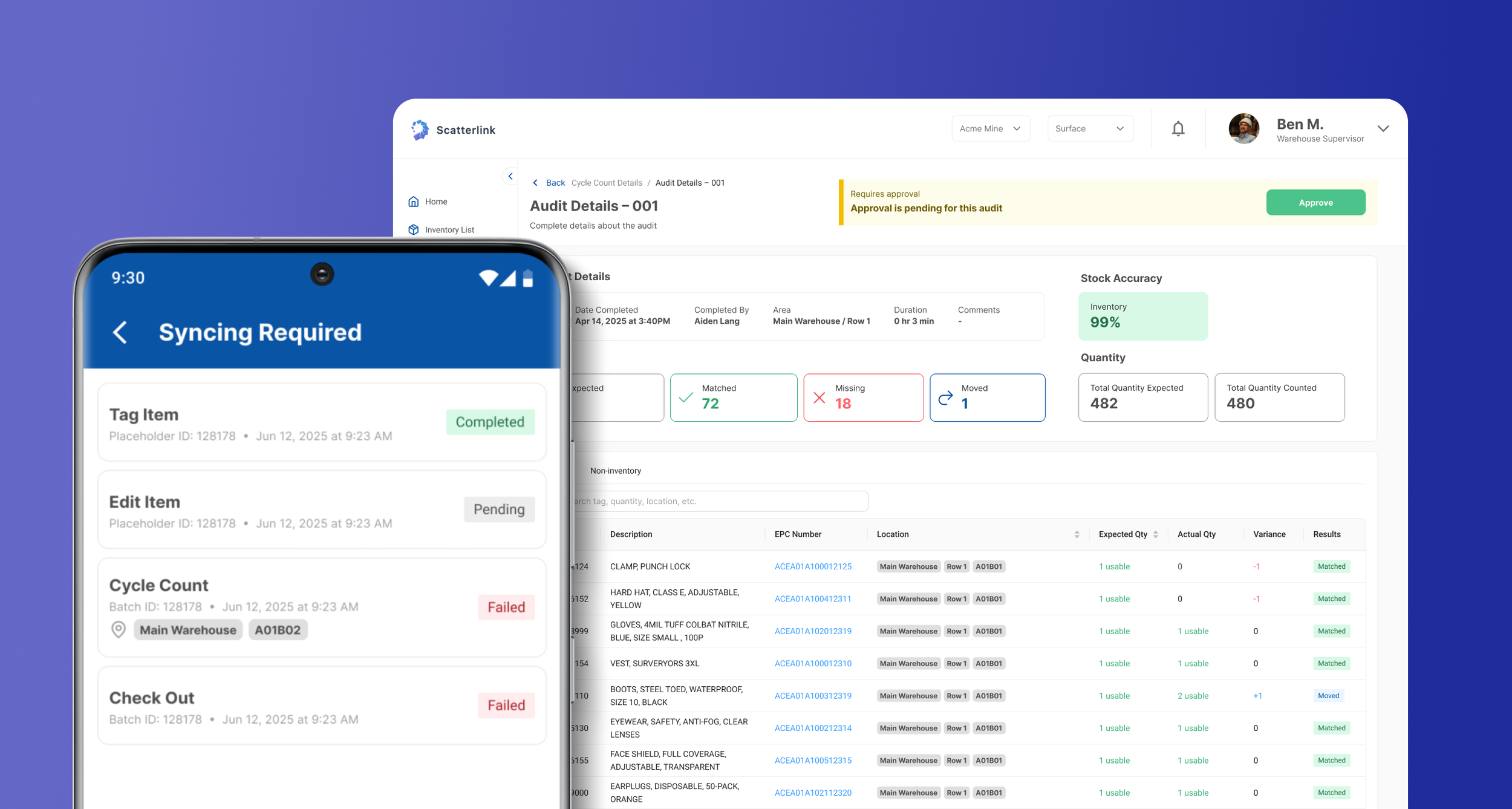
The UI was designed to be clean, clear, and easy to scan in fast-paced warehouse environments.
High-contrast colors help highlight status, errors, and priorities at a glance, while a simple, consistent typography system improves readability on both mobile and web. Layouts follow clear hierarchies with generous spacing and large touch targets, keeping interactions simple and reducing cognitive load for non-technical users.
Testing on the Warehouse Floor
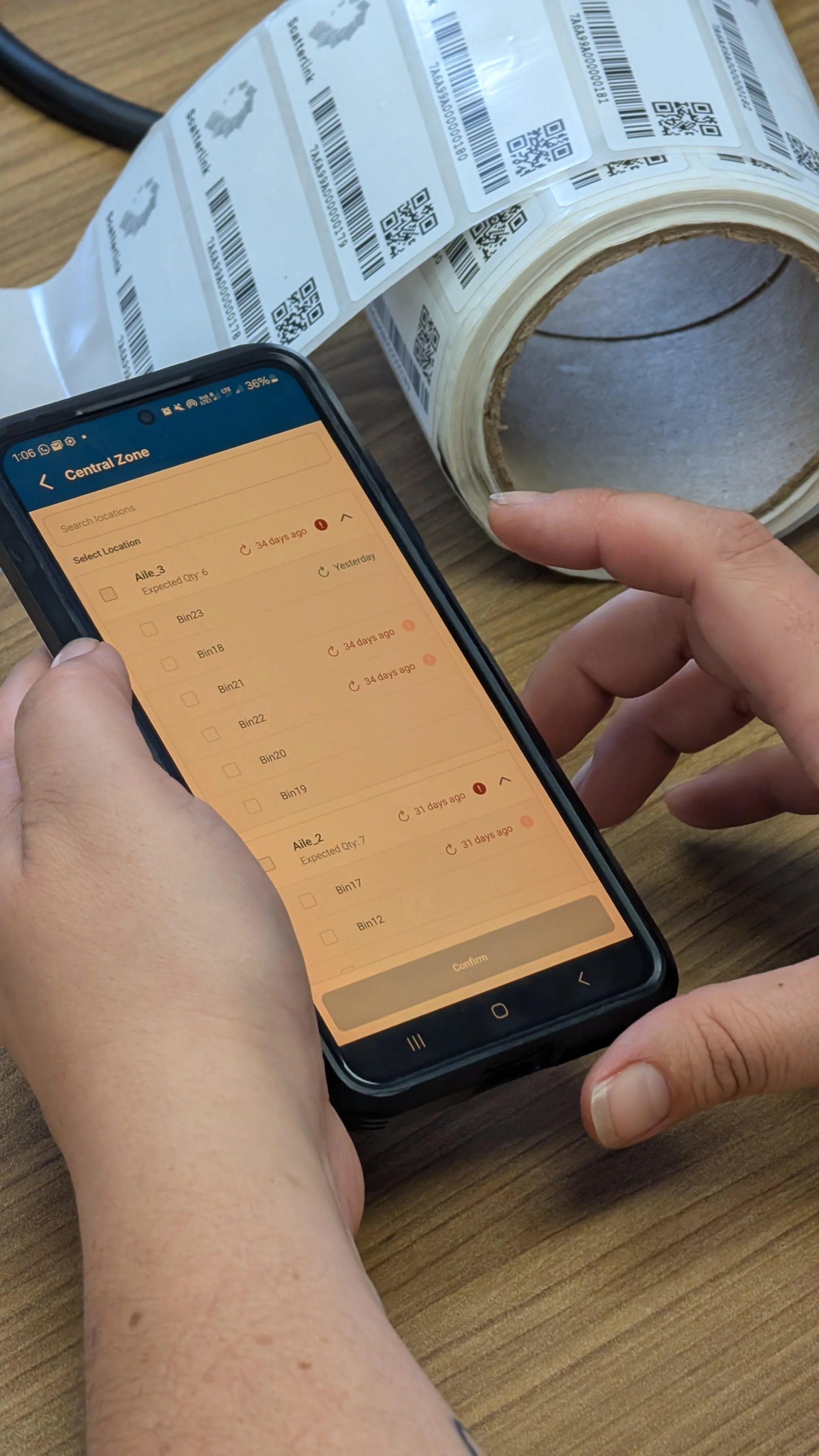
I observed how users scanned tags, selected locations, and moved through tasks while handling physical items. This helped surface real issues around speed, clarity, and touch accuracy that wouldn’t show up in a controlled setting, and allowed me to quickly iterate on layouts, labels, and flows based on immediate feedback.
The Experience
Receiving Inventory in Real Time
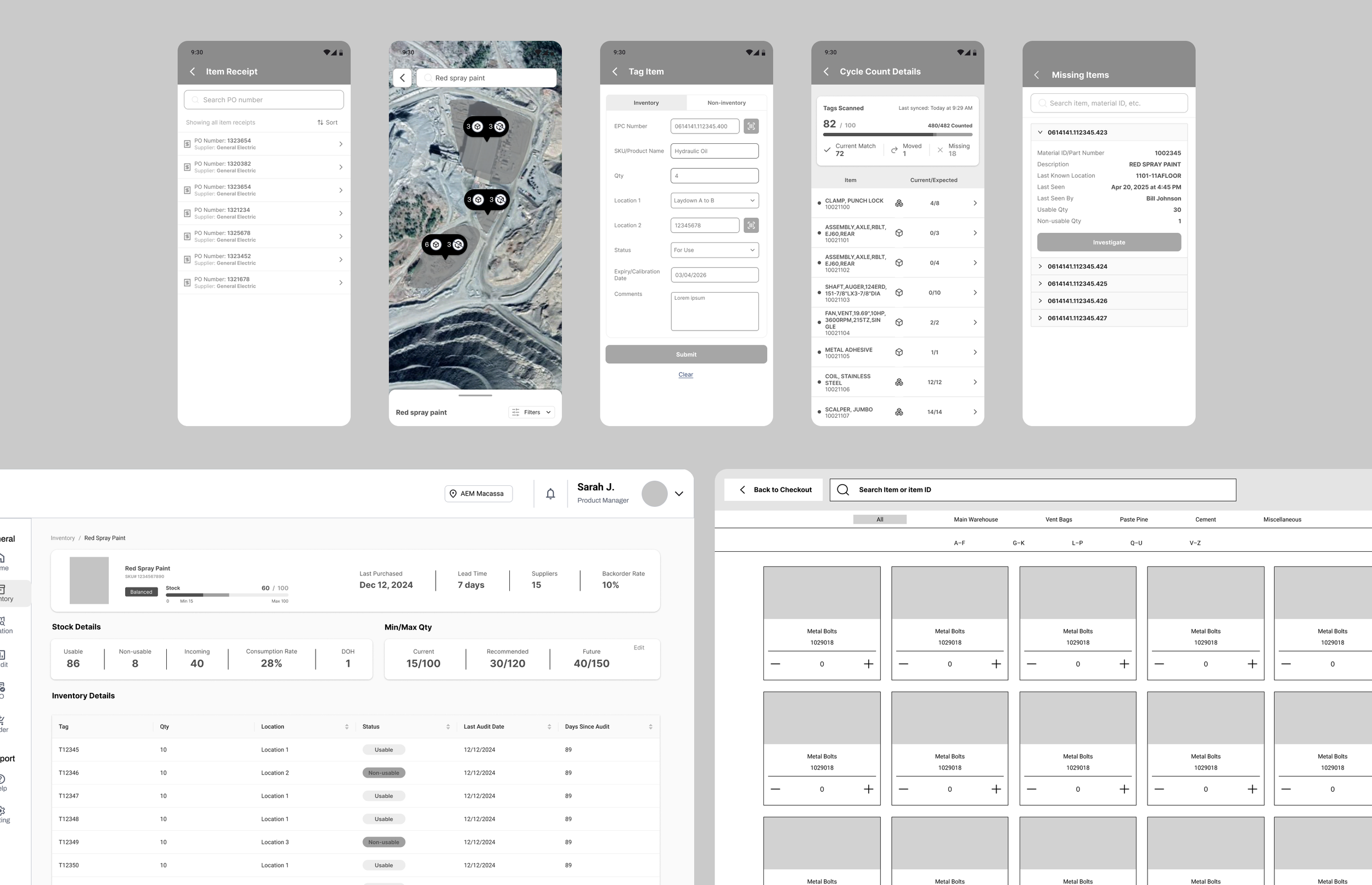
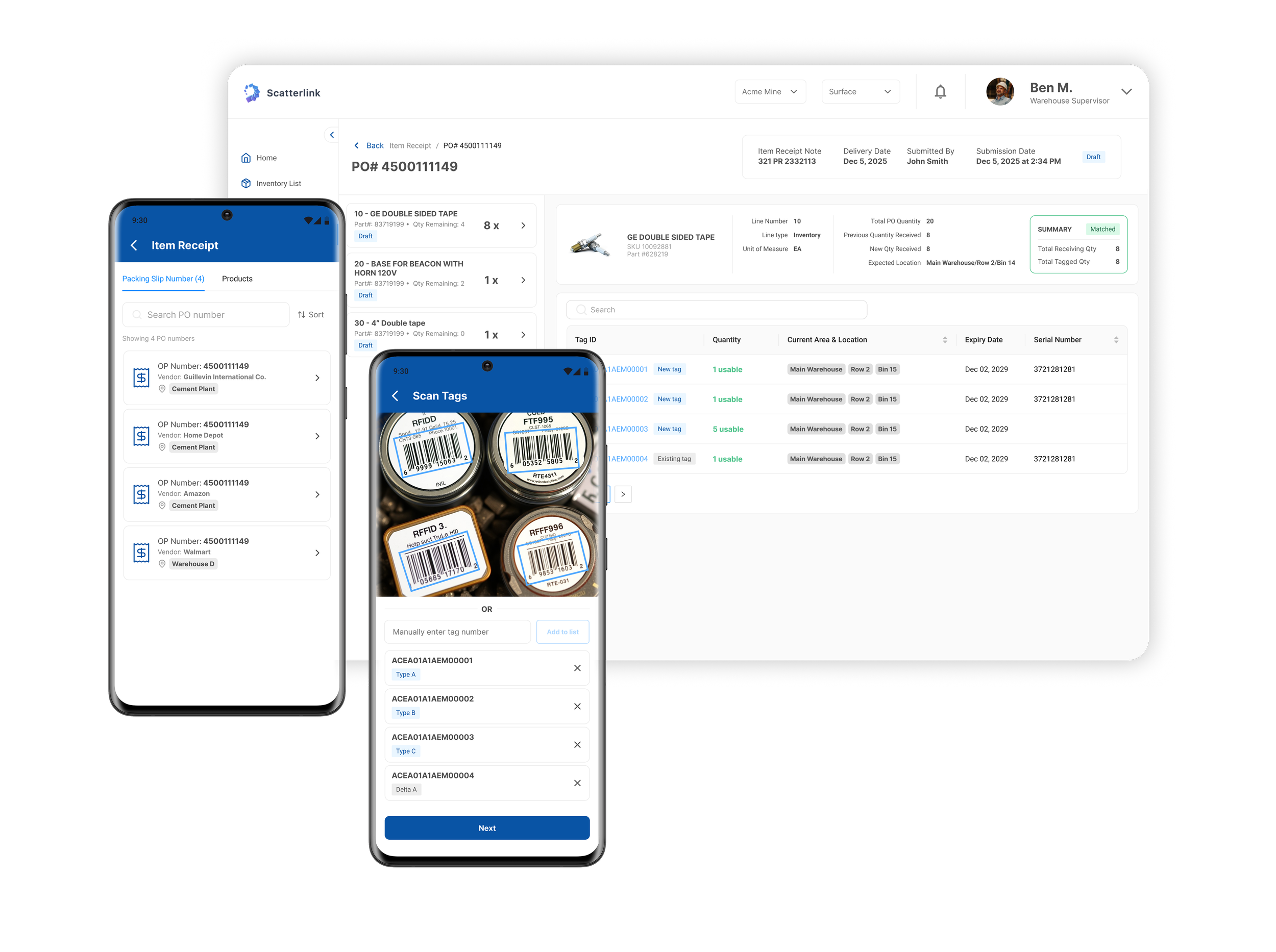
The Item Receipt flow allows warehouse staff to receive goods directly from their mobile device by selecting a PO, scanning tags, and confirming item details. Once submitted, the receipt instantly appears on the web app, where supervisors can review, audit, and approve it.
This keeps mobile and web fully in sync, reduces manual follow-ups, and ensures inventory data is accurate and visible across teams in real time.
Tagging Items at the Point of Receipt
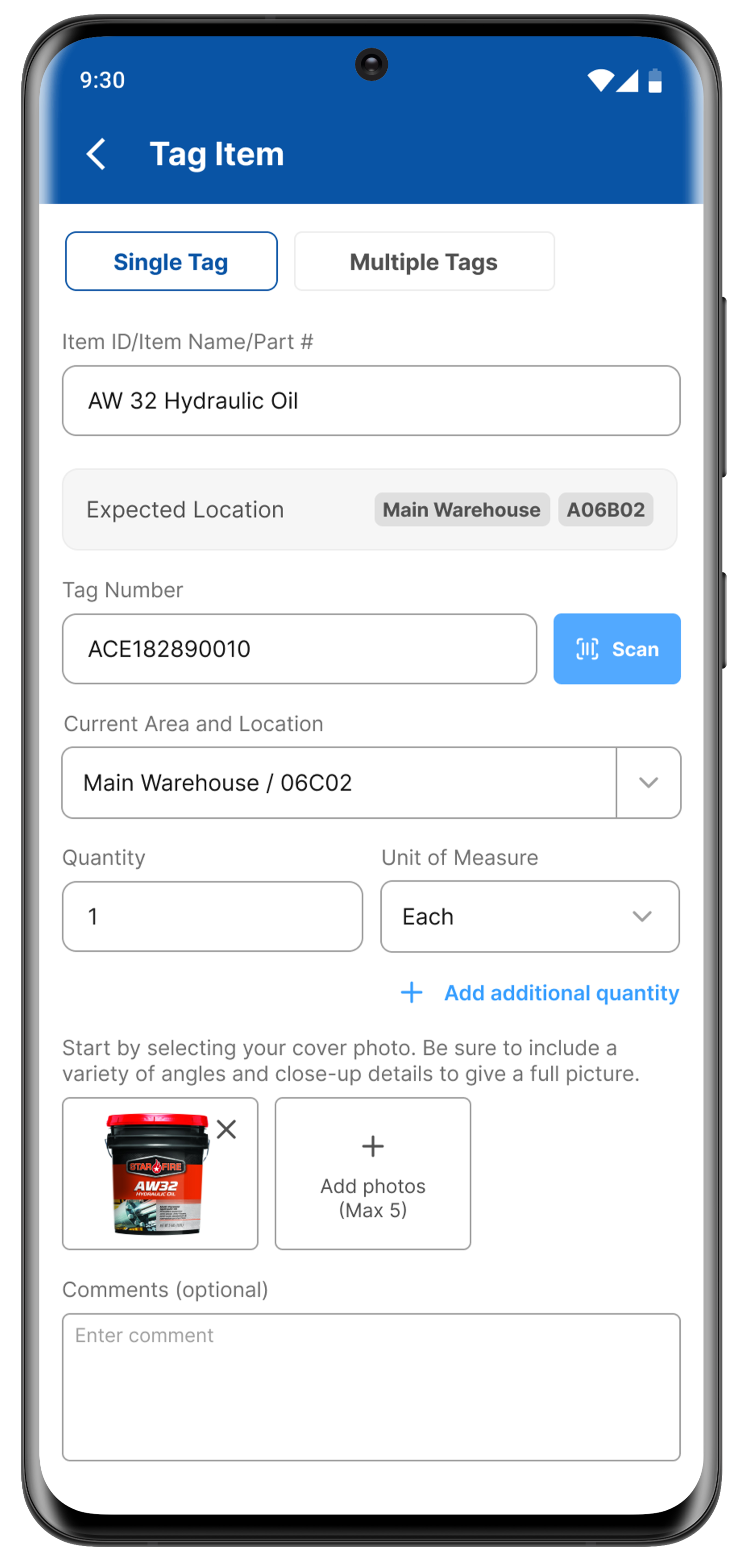
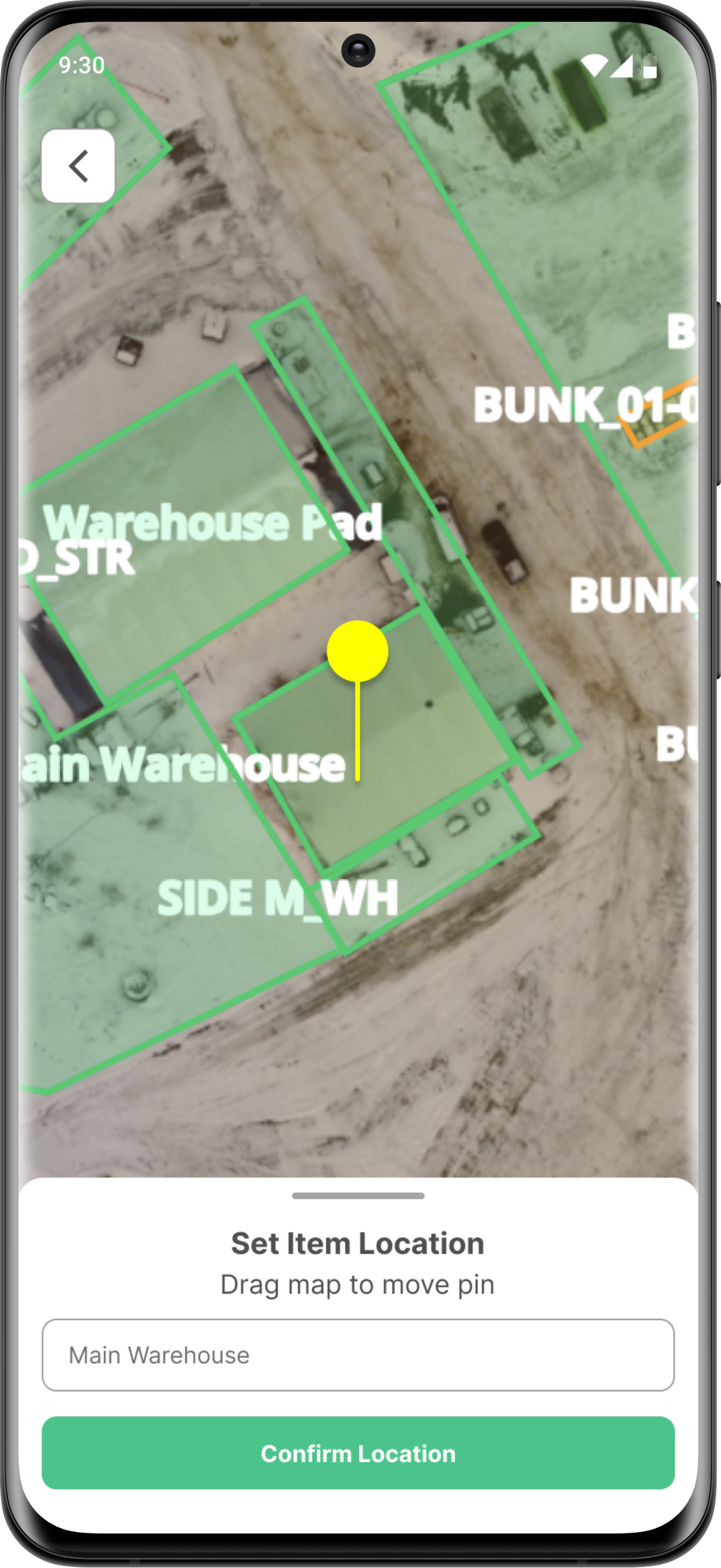
The tagging process lets warehouse staff quickly assign a barcode or RFID tag to an item at the point of receipt. Workers scan or enter the tag, confirm quantity and condition, and set the item’s exact location using a map-based pin.
This ensures every item is uniquely identified, accurately located, and immediately trackable in the system, reducing errors and manual follow-ups.
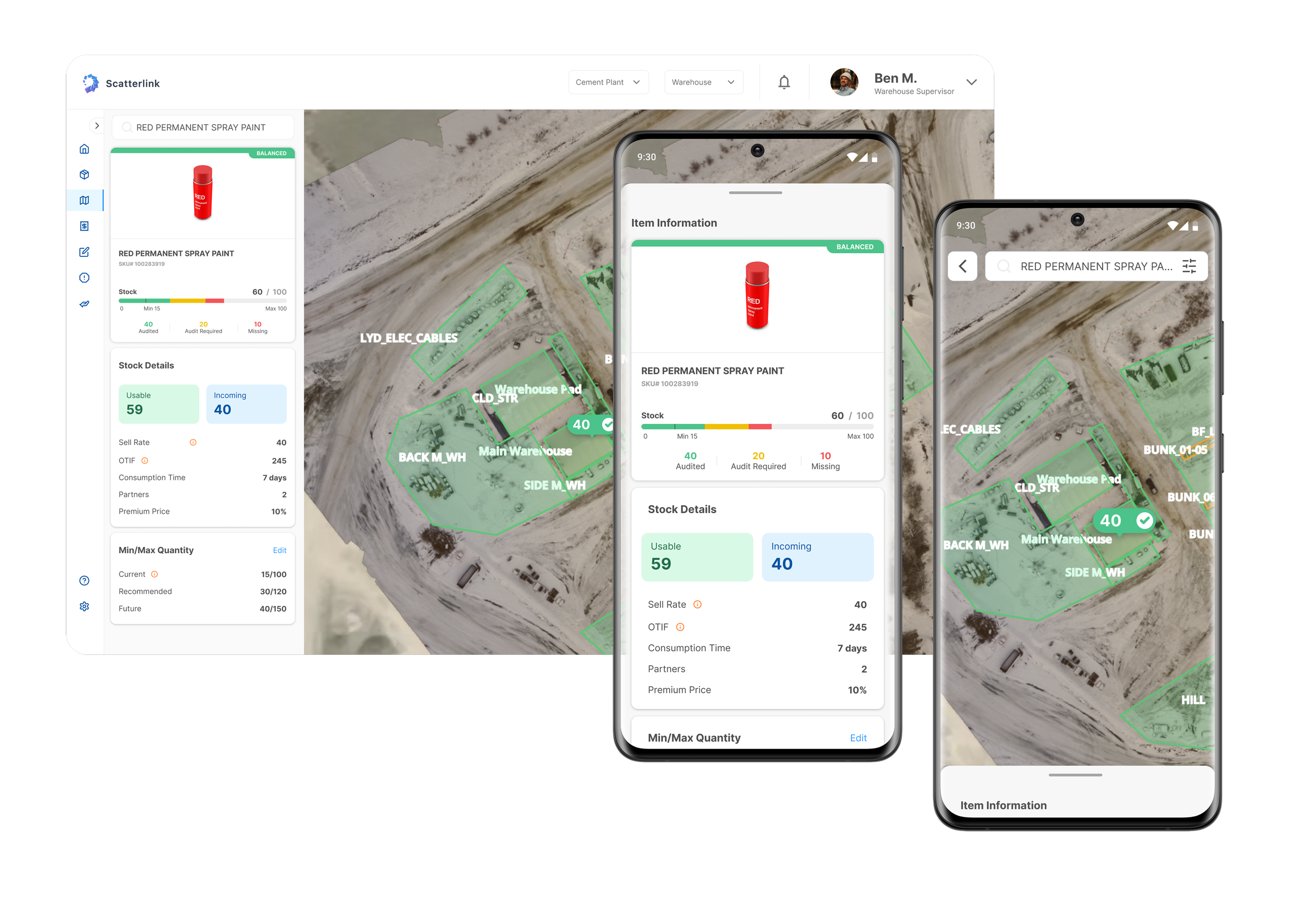
Finding Products Instantly
The Find Products experience lets workers quickly locate items across large mining sites using a map-based view and smart filters. Users can search by product, see real-time stock levels, and visually pinpoint where items are stored in the warehouse. Filters for audit status and condition help narrow results instantly, reducing time spent searching and improving confidence in inventory data.
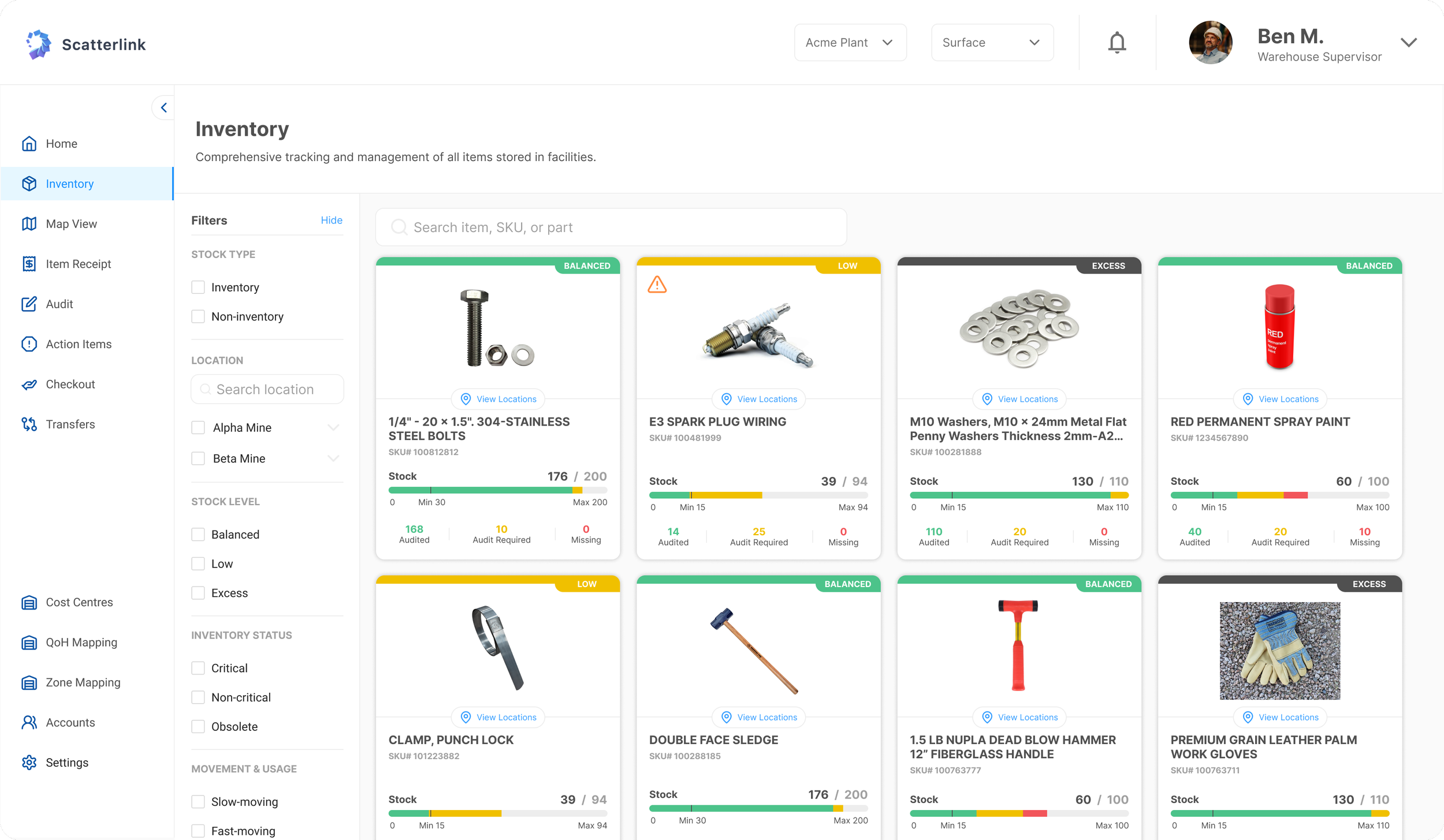
A Real-Time View of Warehouse Inventory
The Inventory experience gives supervisors a clear, high-level view of all items across the warehouse. Products are displayed with real-time stock levels, status indicators, and alerts for low, excess, or missing inventory.
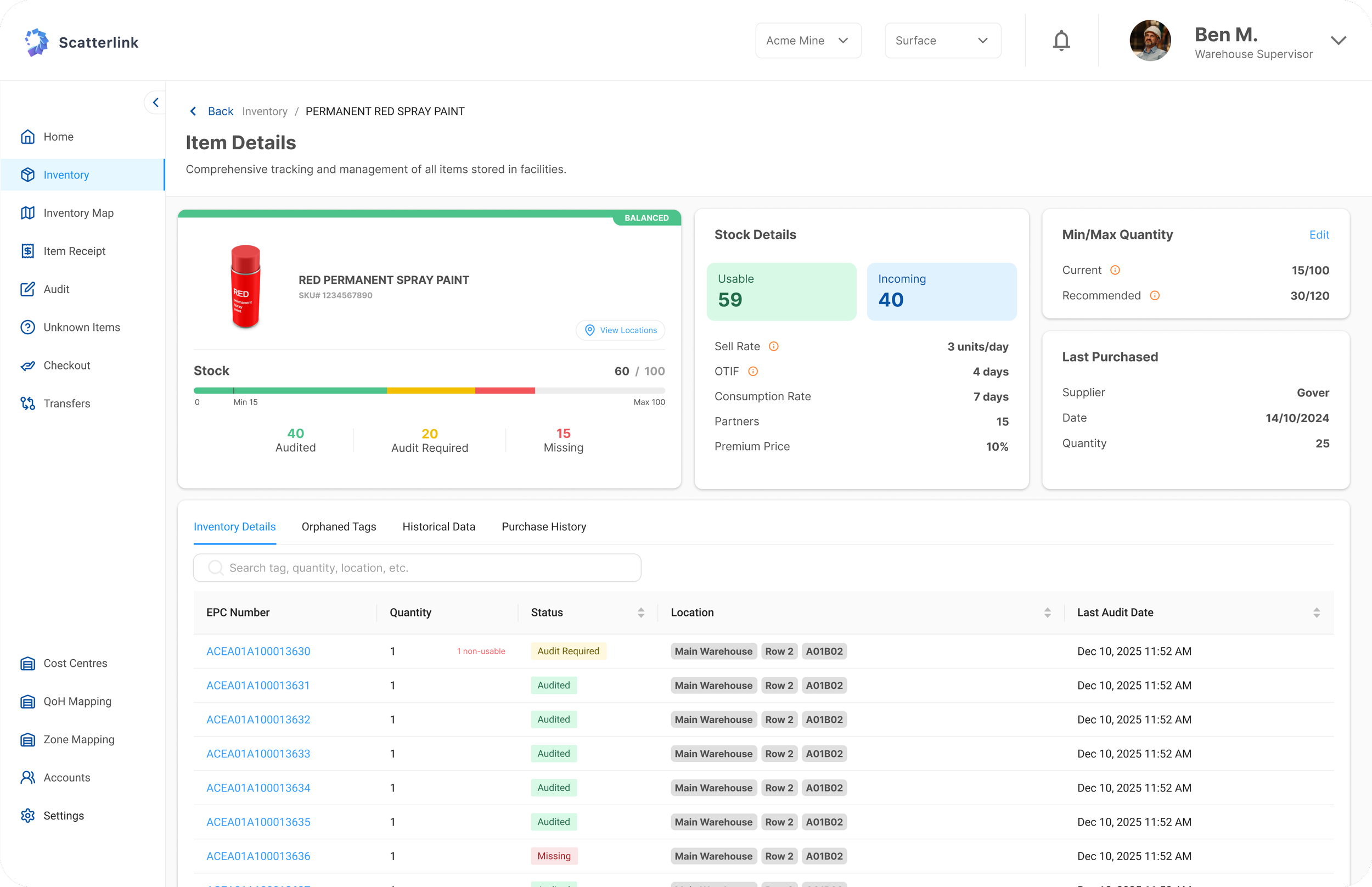
Drilling Into Item-Level Details
From the item details view, users can drill into tag-level data, locations, and history, making it easy to monitor stock health, investigate issues, and make informed restocking decisions.
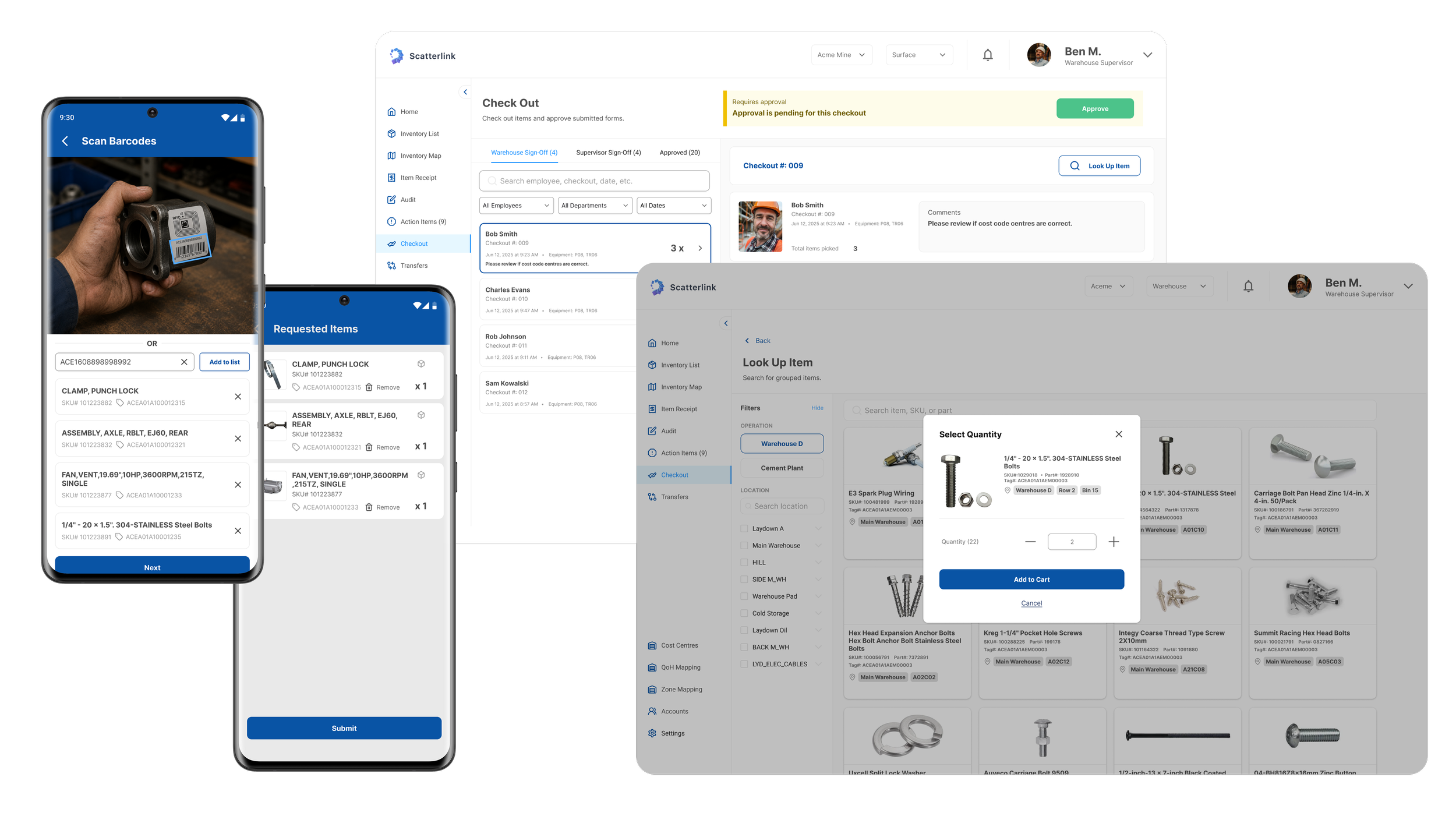
A Self-Checkout Experience for Warehouse Inventory
The checkout flow lets workers quickly request items from inventory using mobile or web, similar to a self-checkout experience at a grocery store.
Items are selected, quantities confirmed, and cost codes added before submission. Submitted checkouts sync across platforms, allowing supervisors to review, approve, and track usage with full visibility and accountability.
RFID-Powered Cycle Counting
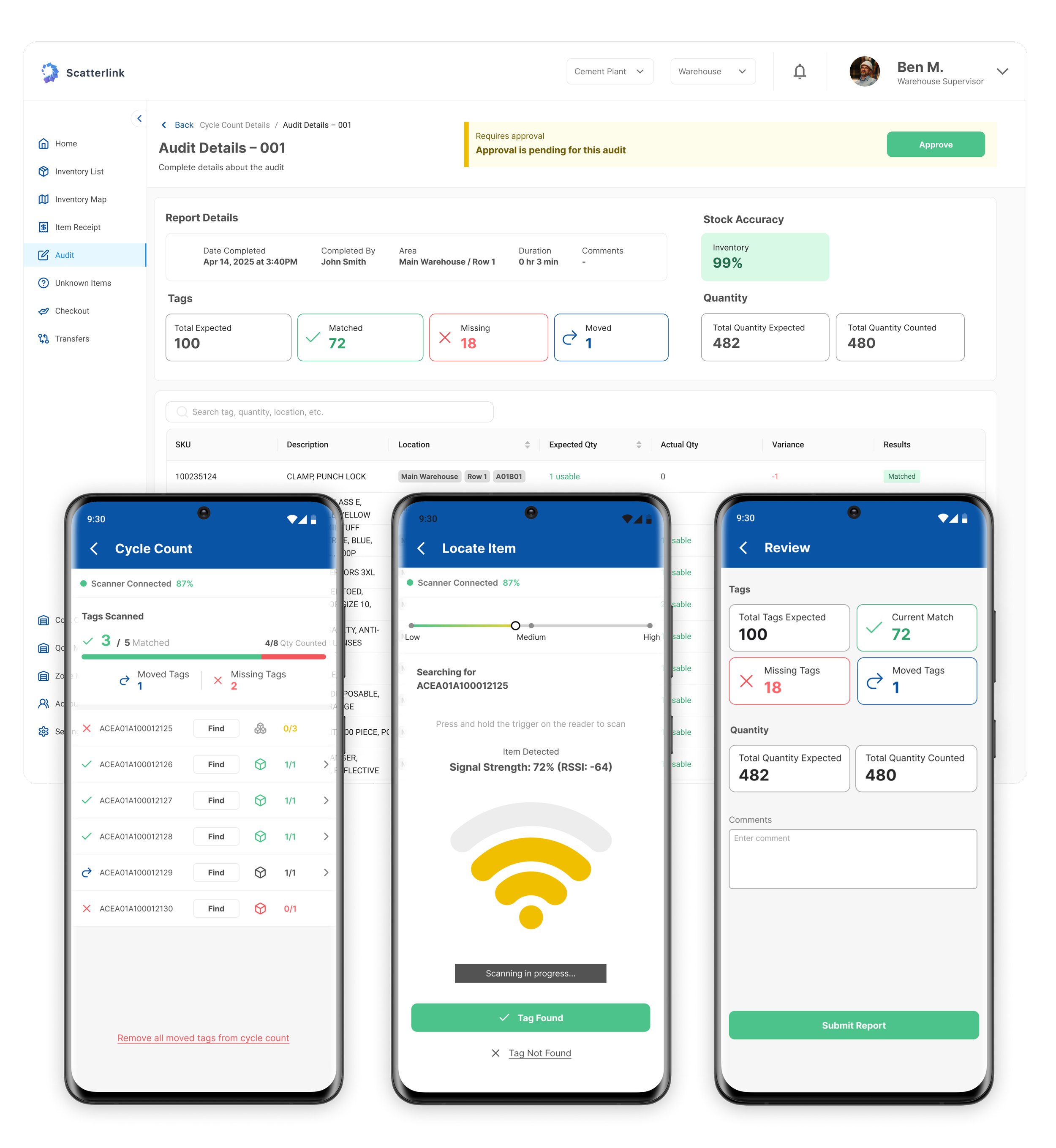
The cycle count flow replaces manual audits with a guided, RFID-powered process on mobile and web. Workers select a location, scan items in real time, and instantly see matched, missing, or moved tags.
Results sync to the web for review and approval, giving supervisors clear visibility into stock accuracy and discrepancies with minimal disruption to daily operations.
MVP Pilot Results (Measured After Launching for 3 months)
35%
Reduced time for Cycle Counting. RFID scanning replaced manual counts and paperwork.
97%
Inventory accuracy – with fewer missing, duplicate, or miscounted items through the use of item tagging.
54%
Reduced item search time through built-in tracking
What’s next?
Role-based dashboards
Tailored views for workers, supervisors, and operations managers.
Continuous UX improvements
Iterating on core workflows like cycle counts based on on-site user feedback to reduce friction, improve scan accuracy, and speed up audits.
Chatbot
Helping users quickly find items, understand inventory status, and complete tasks faster.